

Beko Washing Machine Error Codes: Complete Troubleshooting & Test Mode Guide
When your Beko washing machine displays an error code, it is reporting a specific fault detected by its onboard diagnostic system. These error codes help identify problems with critical components such as temperature sensors, heating elements, water inlet valves, drain pumps, motors, pressure sensors, door locks, and electronic control boards.
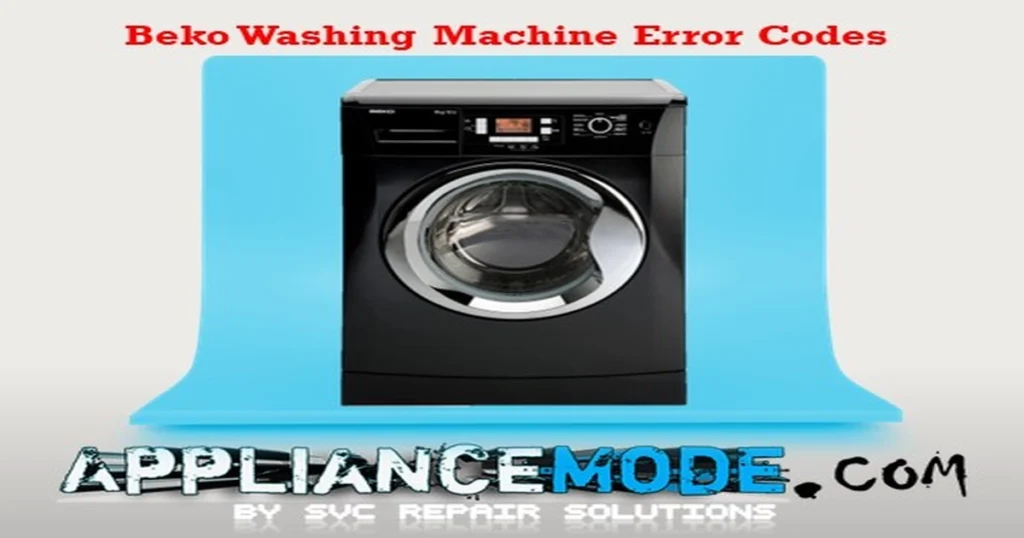
This comprehensive guide explains the most common Beko washing machine error codes, their likely causes, and proven troubleshooting procedures. You’ll also learn how to access the built-in service test mode used by technicians to diagnose faults and verify component operation.
Before You Begin Troubleshooting
Safety should always be your first priority when working on any appliance.
Before inspecting or testing your washing machine:
- Disconnect the appliance from the power supply.
- Turn off the water supply valves.
- Allow internal components to cool if the machine was recently operating.
- Use appropriate electrical testing equipment when measuring voltage or resistance.
- Never work on live electrical circuits unless properly trained.
Failure to follow proper safety procedures may result in electric shock, personal injury, or damage to the appliance.
Understanding Beko Washing Machine Error Codes
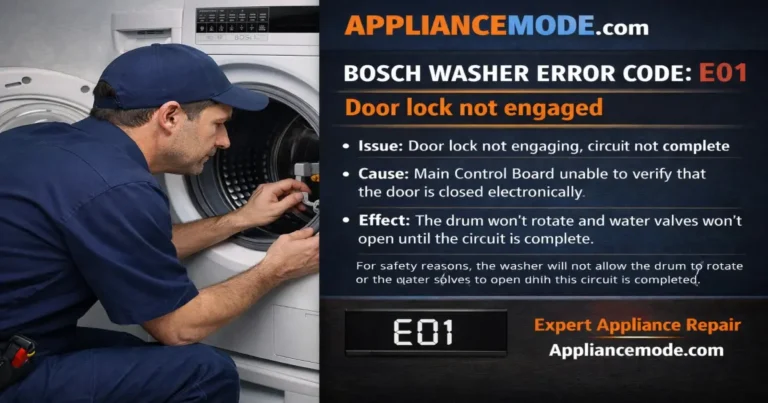
E01 – NTC Temperature Sensor Error
The E01 error indicates that the main control board has detected an open circuit, short circuit, or invalid signal from the water temperature sensor (NTC thermistor).
Possible Causes
- Loose or damaged sensor wiring harness
- Corroded connector terminals
- Faulty NTC thermistor
- Defective main control board
Troubleshooting
- Inspect the sensor wiring and connector for damage.
- Measure the thermistor resistance.
| Temperature | Expected Resistance |
|---|---|
| 25°C (77°F) | 4.5–4.9 kΩ |
- Verify that the control board supplies approximately 5 VDC to the sensor.
- Replace the thermistor if readings are outside specifications.
- Replace the main PCB if no sensor supply voltage is present.
E02 – Heating Element Error
The E02 error appears when the washer detects a fault in the water heating circuit.
Possible Causes
- Damaged heater wiring
- Failed heating element
- Faulty heater relay circuit
- Defective main control board
Troubleshooting
- Inspect heater wiring connections.
- Measure heater resistance.
| Component | Expected Resistance |
|---|---|
| Heating Element | ~28 Ω |
- Replace the heater if open or shorted.
- Check the control board and replace if necessary.
E03 – Heater Relay Error
The E03 error indicates that the heater relay on the main control board is stuck in either the ON or OFF position.
Troubleshooting
- Verify heater operation.
- Inspect the control board for damaged relay contacts.
- Replace the main control board.
E04 – Overfill Error
The E04 error indicates that water continues entering the washer when filling should have stopped.
Possible Causes
- Stuck water inlet valve
- Faulty valve control circuit
- Damaged wiring
- Main PCB failure
Troubleshooting
- Check inlet valve wiring.
- Test inlet valve resistance.
| Component | Expected Resistance |
|---|---|
| Water Inlet Valve | ~3.7 kΩ |
- Inspect the valve for mechanical sticking.
- Replace the inlet valve if necessary.
- Replace the main board if the valve receives continuous power.
E05 – Drain Pump Error
The E05 error indicates that the washing machine cannot drain water within the expected time.
Possible Causes
- Clogged drain filter
- Blocked drain hose
- Faulty drain pump
- Damaged wiring harness
- Defective main control board
Troubleshooting
- Clean the drain pump filter.
- Inspect the drain hose for restrictions or kinks.
- Check the drain pump wiring harness.
- Measure drain pump resistance.
| Component | Expected Resistance |
|---|---|
| Drain Pump | ~170 Ω |
- Replace the drain pump if readings are abnormal.
- Check the main board if the pump does not receive power.
E06 – Universal Motor TRIAC Short Circuit Error
The E06 error indicates a short circuit in the motor control circuit.
Possible Causes
- Faulty motor wiring
- Worn carbon brushes
- Defective tachometer
- Failed motor control board
- Faulty main PCB
Troubleshooting
Inspect the motor wiring harness and test the following components:
| Component | Expected Resistance |
|---|---|
| Tachometer | ~79 Ω |
| Rotor | ~4.3 Ω |
| Low-Speed Winding | ~1.8 Ω |
| High-Speed Winding | ~0.8 Ω |
| Thermal Protector | 0.1–1 Ω |
Replace defective components as required.
E07 – Water Level Sensor Error
The E07 error occurs when the control board receives invalid information from the pressure sensor.
Possible Causes
- Blocked pressure chamber
- Damaged pressure hose
- Faulty pressure sensor
- Wiring fault
- Main board failure
Troubleshooting
- Clean the pressure chamber.
- Inspect the pressure hose for damage.
- Verify sensor supply voltage.
| Test Point | Expected Value |
|---|---|
| Supply Voltage | 5 VDC |
| Sensor Frequency | ~650 Hz |
- Replace the pressure sensor if readings are incorrect.
E08 – Water Inlet Valve Circuit Error
The E08 error indicates that the control board cannot properly activate the water inlet valve.
Possible Causes
- Faulty inlet valve
- Clogged inlet screens
- Damaged wiring
- Main board failure
Troubleshooting
- Clean inlet valve filter screens.
- Check inlet valve resistance.
| Component | Expected Resistance |
|---|---|
| Inlet Valve Coil | ~3.7 kΩ |
- Replace the valve if defective.
- Inspect the control board.
E09 – Door Lock TRIAC Error
The E09 error indicates that the control board cannot properly operate the door lock circuit.
Related Codes
- E10 – Door Lock TRIAC Short Circuit
- E23 – Door Switch Error
- E28 – Lost Door Lock Signal
Possible Causes
- Faulty door lock assembly
- Damaged wiring
- Main board failure
Troubleshooting
Measure the door lock PTC resistance:
| Component | Expected Resistance |
|---|---|
| Door Lock PTC | ~989 Ω |
Replace the lock assembly if readings are abnormal.
E11 – BLDC Motor Error
The E11 error indicates a fault in the Brushless DC motor system.
Related Code
- E13 – Inverter Communication Failure
Possible Causes
- Faulty motor
- Failed thermal protector
- Inverter board failure
- Wiring fault
- Main PCB failure
Troubleshooting
Check motor winding resistance:
| Component | Expected Resistance |
|---|---|
| BLDC Motor Windings | 5–7 Ω |
Verify that the rotor rotates freely and inspect the inverter board.
E12 – Water Leakage Error
The E12 error indicates that the anti-flood protection system has detected water leakage.
Possible Causes
- Leaking hose
- Pump seal leak
- Tub leak
- Dispenser leak
Troubleshooting
- Inspect the appliance for signs of water leakage.
- Check the Aqua-Stop system.
- Repair the source of the leak.
- Dry the base tray completely before restarting the washer.
E14 – Jet Pump Error
The E14 error indicates a fault in the recirculation (jet) pump.
Possible Causes
- Blocked impeller
- Wiring failure
- Faulty jet pump
- Main board issue
Troubleshooting
| Component | Expected Resistance |
|---|---|
| Jet Pump | ~160 Ω |
Clean the impeller and replace the pump if necessary.
E15 – Flow Meter Error
The E15 error occurs when the water flow meter fails to report incoming water volume correctly.
Possible Causes
- Faulty flow meter
- Damaged reed switch
- Wiring issue
- Main board failure
Troubleshooting
- Inspect flow meter wiring.
- Verify reed switch operation.
- Check for 5 VDC supply voltage.
- Replace the flow meter if defective.
E17 – Excessive Foam Warning
The E17 warning indicates excessive detergent suds inside the drum.
Causes
- Too much detergent
- Incorrect detergent type
Solution
- Use HE (High Efficiency) detergent.
- Reduce detergent quantity.
- Run a rinse cycle to remove excess foam.
E18 – Unbalanced Load Warning
The E18 warning indicates that laundry is unevenly distributed.
Solution
- Redistribute the load evenly.
- Avoid washing single heavy items alone.
- Restart the spin cycle.
E22 – Display Communication Error
The E22 error indicates a communication failure between the user interface and the main control board.
Troubleshooting
- Disconnect power for several minutes.
- Inspect communication wiring.
- Replace the display board if necessary.
- Replace the main board if communication remains lost.
E24 – Fill Sensor Error
The E24 error indicates a problem with the fill sensor system.
Possible Causes
- Faulty fill sensor
- Worn shock absorbers
- Wiring fault
- Main board issue
Troubleshooting
Inspect the fill sensor assembly and shock absorbers. Replace defective components.
E26 – EEPROM Error
The E26 error indicates corruption or failure of the control board memory.
Solution
Replace the main control board.
E29 – Voltage Out of Range Error
The E29 error occurs when supply voltage falls outside acceptable operating limits.
Troubleshooting
- Verify outlet voltage.
| Supply Voltage | Typical Value |
|---|---|
| AC Line Voltage | 220–240 VAC |
- Correct household electrical issues.
- Replace the main board if voltage readings are normal.
E31 – Dryer NTC Sensor Error (Washer-Dryer Models)
The E31 error indicates a fault in the dryer temperature sensor.
Expected Value
| Component | Resistance |
|---|---|
| Dryer NTC | ~840 Ω at 70°C |
Replace the sensor if readings are abnormal.
E32 – Foam NTC Sensor Error
The E32 error indicates a fault in the foam detection thermistor.
Expected Value
| Component | Resistance |
|---|---|
| Foam NTC | ~1.7 kΩ at 50°C |
The E35 error indicates a fault in the dryer heating circuit.
E35 – Dryer Heating Error
Related Codes
- E41 – Dryer Fan Error
- E45 – Dryer Duct Overheating
Troubleshooting
- Test heating element continuity.
- Check thermostats and thermal fuses.
- Inspect dryer fan operation.
- Clean condenser and air ducts.
E37 – Drum Overheating Warning
The E37 warning indicates excessive drum temperature.
Solution
Allow the appliance to cool for at least 60 minutes before restarting.
E45 – Software Configuration Error
The E45 error indicates that the control board software configuration is missing or corrupted.
Solution
Replace and properly configure the main control board.
Beko Washing Machine Test Mode
Beko washers include a built-in diagnostic mode that allows technicians to test major components individually.
Before Entering Test Mode
- Turn the washer OFF.
- Empty the drum.
- Close the door completely.
How to Activate Test Mode
- Press and hold the Prewash and Anti-Crease buttons simultaneously.
- While holding both buttons, press the Power button.
- The display will show TEST.
- The door will lock automatically.
- Press Start/Pause to begin the diagnostic sequence.
What Test Mode Checks
The service test verifies:
- Stored error codes
- Software version
- Display operation
- Motor operation
- Water inlet valves
- Heating element
- Pressure sensor
- Drain pump
- Flow meter
- Recirculation pump
- Communication systems
Exiting Test Mode
To leave Test Mode:
- Hold the Power button for 3 seconds, or
- Disconnect power from the appliance.
Final Thoughts
Beko washing machine error codes provide valuable diagnostic information that can significantly reduce troubleshooting time.
Understanding what each code means and following a systematic testing procedure, you can accurately identify faulty components and avoid unnecessary part replacement.
I am a master appliance repair technician with over 35 years of experience in the field. I am passionate about helping people troubleshoot their appliances and fix common problems. My website, appliancemode.com, provides a wealth of information on troubleshooting common appliance issues and deciphering error codes. This website aims to empower people to tackle appliance repairs themselves and save money on service calls.
thanks
hello, why there is no E13??