
Samsung Top-Mount Freezer Refrigerator Self-Diagnosis Mode
Self-diagnosis mode is a built-in feature in many Samsung top-mount freezer refrigerators designed to help you quickly identify and troubleshoot potential issues. By entering this mode, you can access error codes that provide clues to the problem.
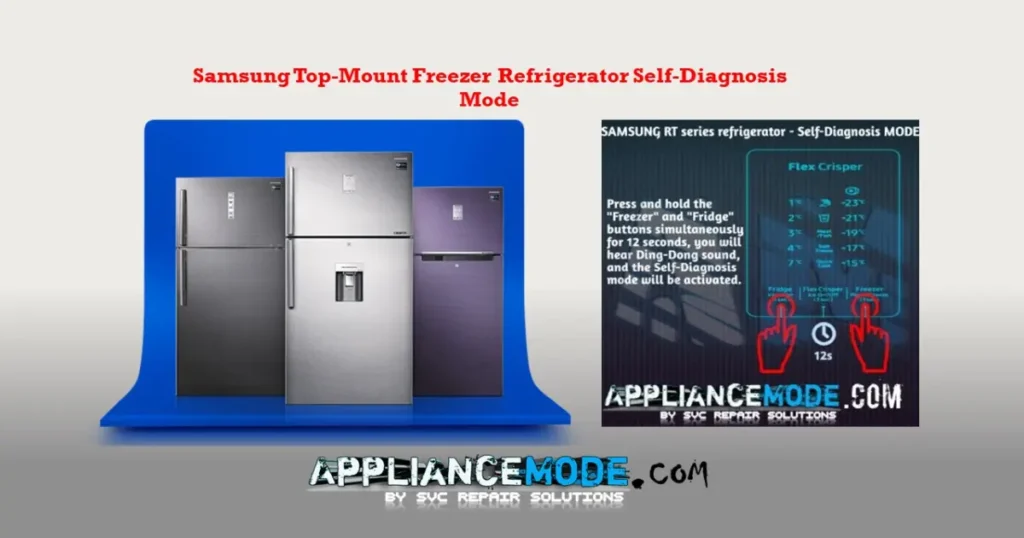
A Guide to Samsung Top-Mount Freezer Refrigerator Self-Diagnosis Mode
- Simultaneous Button Press: Press and hold the “Freezer” and “Fridge” buttons simultaneously for 12–13 seconds.
- Confirmation Sound: A dingdong sound indicates successful entry into self-diagnosis mode.
Interpreting Error Codes
- Normal Operation: If there are no errors, the temperature LED “XX°C” on the control panel will return to normal after 12–13 seconds.
- Error Indication: If an error is detected, the temperature LED will blink or flash, accompanied by a dingdong sound. The error code will remain visible for 1 minute before the refrigerator returns to normal operation.
Ice Maker Considerations
- No Ice Maker: If the ice On/Off icon flashes during self-diagnosis but there’s no ice maker installed, it’s not an error.
- Installed Ice Maker: If an ice maker is present and the ice On/Off icon flashes, it suggests a potential issue with the ice maker.
Exiting Self-Diagnosis Mode
- Automatic Exit: The mode will automatically exit after 1 minute if an error is detected or after 12 seconds if no errors are found.
- Manual Exit:
- Press and hold the “Freezer” and “Fridge” buttons simultaneously for 12 seconds.
- Unplug the refrigerator.
For specific error code meanings and troubleshooting steps, please refer to our blog post on Samsung top-mount freezer error codes.

I am a master appliance repair technician with over 35 years of experience in the field. I am passionate about helping people troubleshoot their appliances and fix common problems. My website, appliancemode.com, provides a wealth of information on troubleshooting common appliance issues and deciphering error codes. This website aims to empower people to tackle appliance repairs themselves and save money on service calls.