
Troubleshooting Non-Responsive Touch Buttons on Your GE Top Load Washer
Understanding the Issue
If you’re experiencing unresponsive capacitive touch buttons on your GE Top Load Washer, where some buttons work as expected while others are intermittent or completely non-functional, a common culprit is a loose connection.
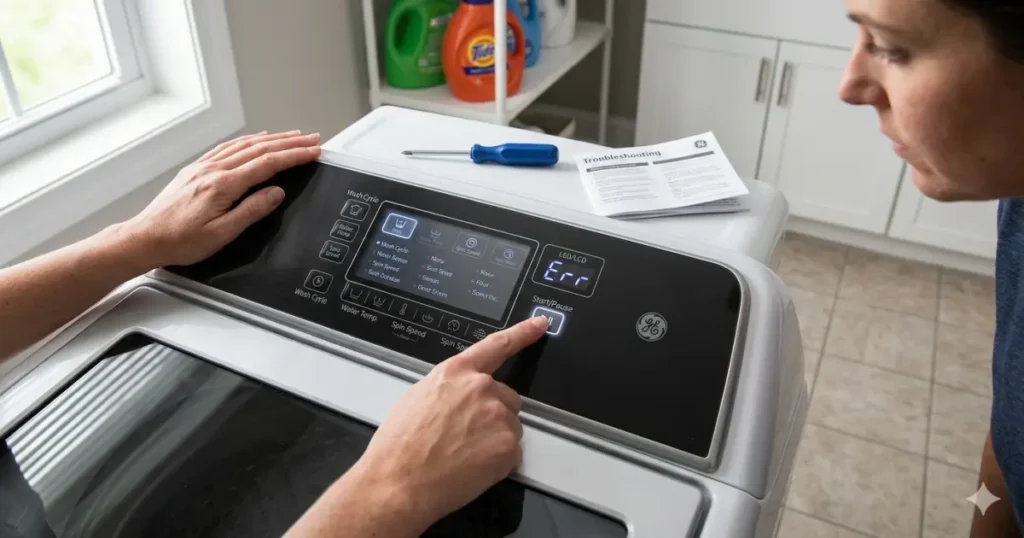
Troubleshooting Nonresponsive Capacitive Touch Buttons on GE Top Load Washers
The Solution: Checking the Control Panel Clips
- Identify the Affected Buttons:
- Note the specific buttons that are not responding or responding inconsistently.
- Access the Control Panel:
- Carefully remove the control panel from the washer. Refer to your specific model’s manual for detailed instructions.
- Inspect the Clips:
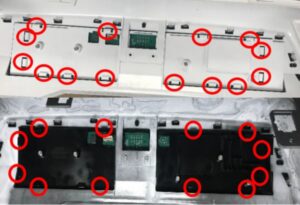
- Examine the clips on the back of the control panel. These clips ensure a secure connection between the panel and the main unit.
- Focus on the clips corresponding to the unresponsive buttons.
- Secure the Clips:
- If any clips are loose or not fully engaged, gently but firmly push them into place. You may hear a slight click as the clips secure.
Note: Some force may be required to fully engage the clips.
Clip Counts for Specific Models:
- PTW600/605: 14 clips
- PTW700/705/900/905: 12 clips
By the way:
- Clean the Control Panel:
- A clean control panel can improve touch sensitivity.
- Use a soft, lint-free cloth dampened with mild soap and water to gently clean the surface.
- Avoid using harsh chemicals or abrasive cleaners.
- Check for Water Damage:
- If the control panel has been exposed to water, it may cause electrical issues. In this case, it’s best to consult a professional technician.
- Consider a Control Panel Replacement: If the issue persists, a faulty control panel may be the cause.
- Consult your GE repair service or a qualified technician for replacement options.
By following these steps, you can often resolve the issue of unresponsive capacitive touch buttons on your GE Top Load Washer.

I am an appliance repair technician with over 35 years of experience. I help people troubleshoot appliance problems, understand error codes, and fix common issues. On ApplianceMode.com, I share free guides and useful information to help people repair their appliances.